
For exhibitors and spectators
Your pass to the show ring.
Enter your dog in a show in minutes. Pay online, keep your entry confirmation on your phone, follow results live.
See the calendar → Exhibitor accounts — coming soon.

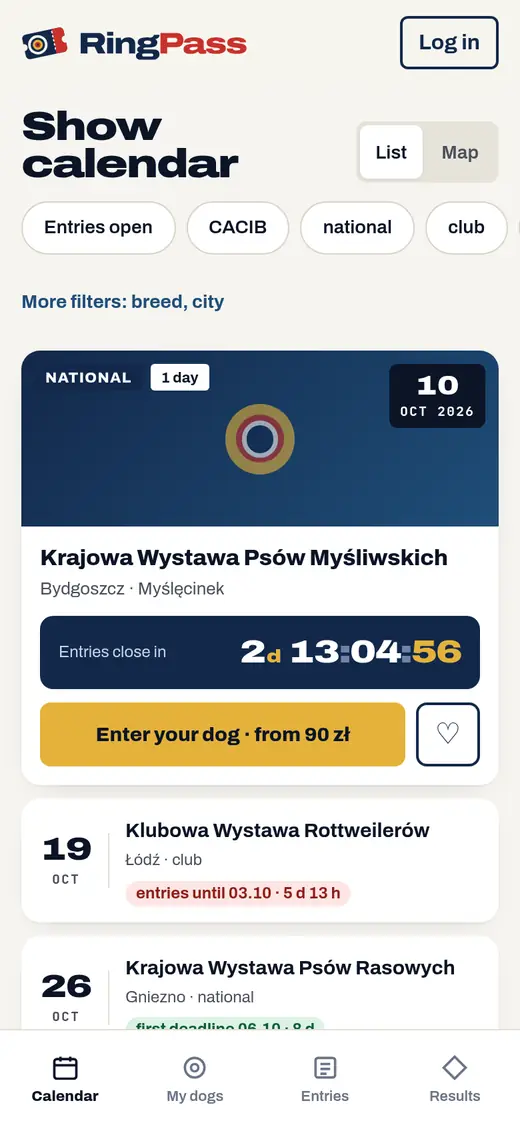
Calendar
Upcoming shows
The first shows in RingPass are coming soon
Organising a show? Meet RingDesk — entries, payments, ring planner and live results for your branch or club.
Meet RingDeskHow it works
Three steps to the ring
- ONCE
Add your dog once
Type the details or snap a photo of the pedigree — we read it for you. Next time there is nothing to retype.
- CLASS
Pick a show
We suggest the class based on your dog’s age on the judging day. You see prices and deadlines before you submit.
- ENTRY
Pay and send your entry
You pay the show organiser online. Your entry confirmation with a QR code lands on your phone and in your inbox.
On show day
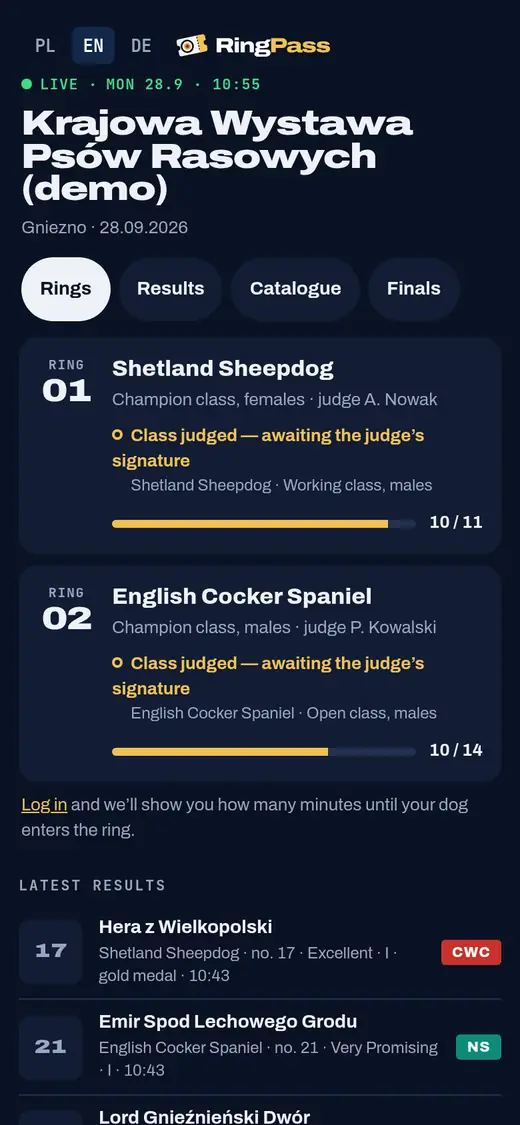
Know when your dog is up
Your entry confirmation shows the ring and the estimated judging time. Everything else is live on your phone.
Ring and time in your entry
The estimated judging time updates during the day.
Reminder the day before
With the address, ring number and time.
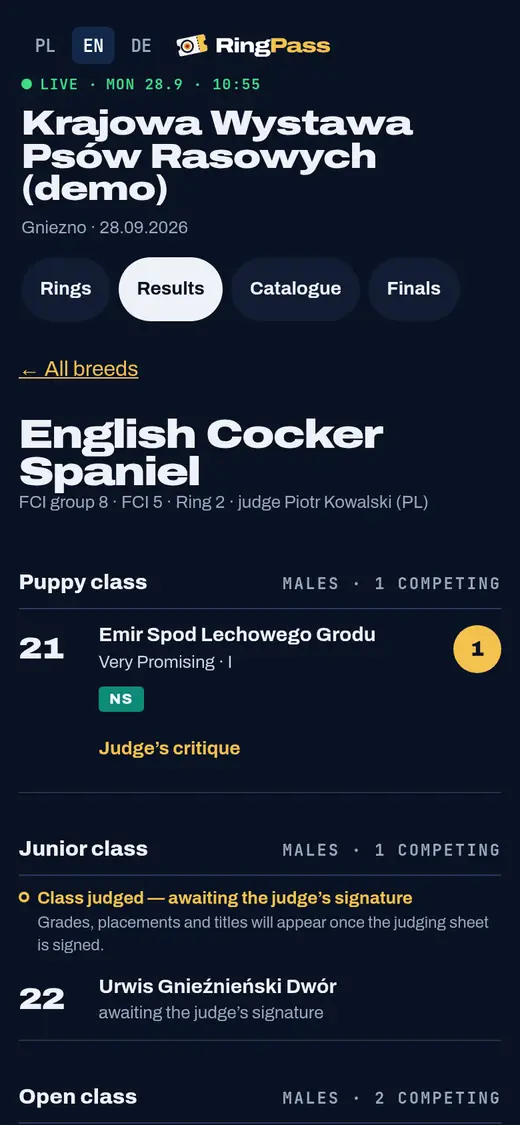
Live results
Grades, placings, medals and titles appear once the judge has signed the critique sheet.
Finals and the TV screen
Honour ring and Best in Show — on your phone and on the hall screen.
Critique in your account
After the show, a photo of the judge’s critique waits in your account.

For spectators
Just watching?
Follow live results, the catalogue and the finals without an account.
See live results
Your dogs
All your dogs and results in one place
Entry and results history
Every show, grade and title is saved in your dog’s profile.
Documents checked once
The show office checks the pedigree and champion certificate once — no need to resend them for every show.
PAYMENTS
You pay the organiser directly
Your money goes straight to the show organiser. RingPass never handles payments.
- PayU
- Przelewy24
- Bank transfer with QR
PRIVACY
Your data is safe
Only the organiser of the show you enter can see your contact details, your dog’s microchip number and documents. Publicly — as in any show catalogue — we only show what the catalogue and results require: the dog’s name, breed, class, breeder and results. Never your address, phone, e-mail or microchip number.
Does a RingPass account cost anything?
No. The account is free. You only pay the entry fee set by the show organiser.
How do I change the class after submitting?
Send a class change request from your entry. The show office reviews it and you get a notification.
Will I get a refund if I can’t go?
Refunds are decided by the show organiser. You’ll find the rules on the show page.
What if there is no internet in the hall?
Ring secretaries save results on their tablets even offline. They appear in RingPass once the tablet reconnects.
Which languages does RingPass support?
Polish, English and German. Switch the language in the top right corner of the page.

Organising a show? Meet RingDesk
The show office, from entries to Best in Show. Your exhibitors enter through RingPass, and you run everything from one panel.